Regex is one of those tools every developer reaches for and almost no one fully trusts. The syntax looks the same across languages until it doesn't, and the pattern that worked yesterday in Node throws a re.error today in Python. This cheat sheet skips the rote token tables you can find on MDN and focuses on what actually breaks: engine differences, validation patterns worth copy-pasting, and the catastrophic-backtracking traps that take down production. Every snippet here was verified against Node 22.4 and Python 3.14 on 2026-05-23.
If you want to test patterns as you read, paste them into our Regex Tester - matches and capture groups highlight live.
What regex actually is
A regular expression is a tiny domain-specific language for describing string patterns. The engine compiles your pattern into a state machine and walks the input character by character, deciding at each step whether the pattern still matches. Different engines (V8 in JavaScript, CPython's re, PCRE2 in PHP and grep, RE2 in Go) implement different subsets and different optimizations. That is why the same pattern can be fast, slow, or invalid depending on where you run it.
The mental model that matters: regex is greedy by default, backtracks when it fails, and only knows about the text in front of it.
The 12 tokens you actually use
| Token | Meaning | Example |
|---|---|---|
. | any character except newline | a.c matches abc, a c |
* | 0 or more | lo* matches l, loo |
+ | 1 or more | lo+ matches lo, loo |
? | 0 or 1 | colou?r matches color, colour |
^ | start of string (or line, with m flag) | ^Hi |
$ | end of string (or line) | bye$ |
\d | digit | \d{4} matches 2026 |
\w | word char (see engine note below) | \w+ |
\s | whitespace | \s+ |
[...] | character class | [aeiou] |
(...) | capturing group | (\d{4})-(\d{2}) |
| | alternation | cat|dog |
Memorize these and you have read 80 percent of the regex you will ever encounter.
Character classes and negation
Classes match exactly one character from a set.
[abc]         // a, b, or c            - JS, Python, PCRE
[^abc]        // anything except a/b/c - JS, Python, PCRE
[a-z]         // lowercase letter      - JS, Python, PCRE
[A-Za-z0-9_]  // same as \w (ASCII)    - JS, Python, PCRE
For Unicode letters, use property escapes:
\p{Letter}+   // requires u or v flag - JS only
\p{L}+        // PCRE
Python's standard re module does not support \p{...}. Install the third-party regex package if you need it. Note also that Python's \w is Unicode-aware by default for str patterns, while JavaScript's \w stays ASCII unless you opt into Unicode mode.
Quantifiers, greedy vs lazy
Quantifiers control how many times the preceding token can match. By default they are greedy: they take as much as possible, then back off if the rest of the pattern fails.
<.*>    // greedy - matches "<foo> <bar>" whole
<.*?>   // lazy   - matches only "<foo>"
{2,5}   // between 2 and 5 inclusive
{3,}    // 3 or more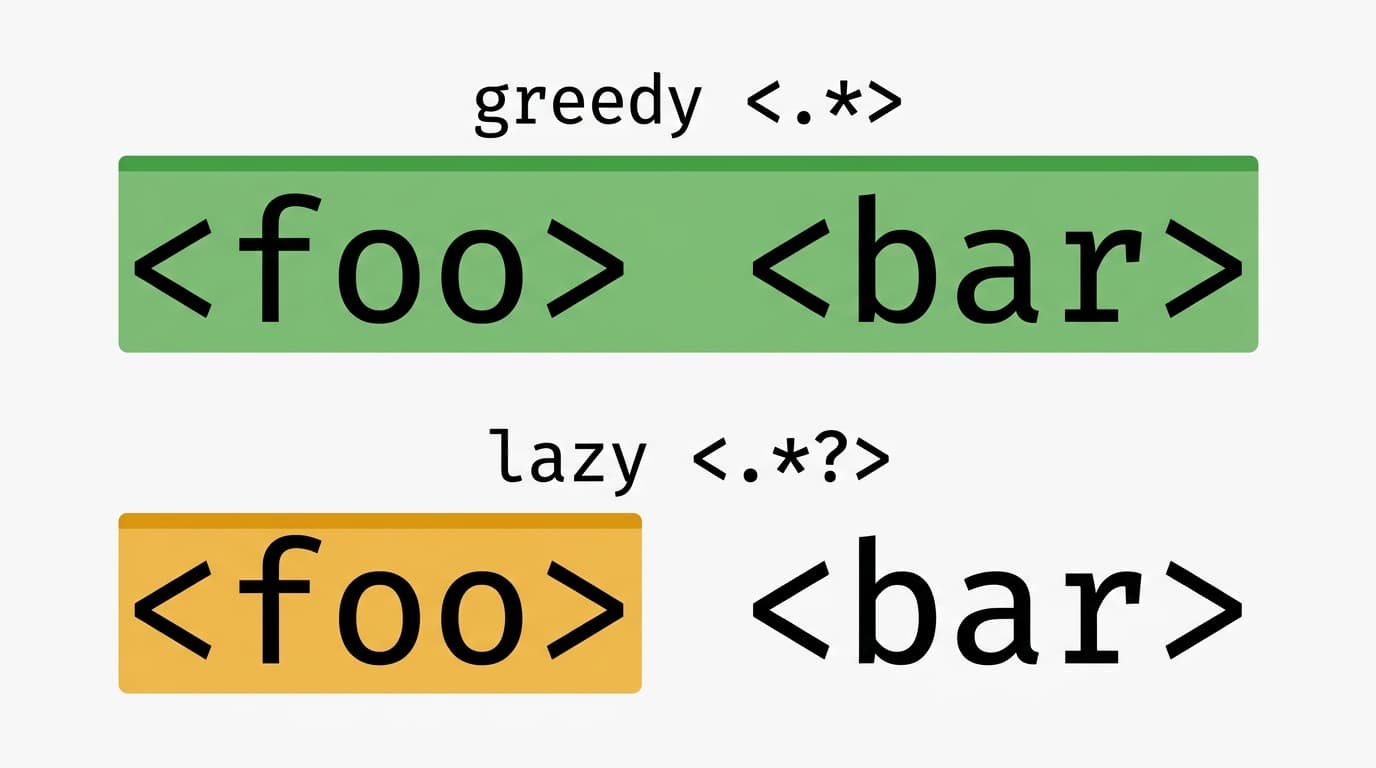
<.*> swallows the whole string; lazy <.*?> stops at the first closing tag.Try <.*> and <.*?> against <foo> <bar> in our Regex Tester - the difference is instant when you can see the highlights.
Anchors, boundaries, and groups
^start          // start of string/line
end$            // end of string/line
\bword\b        // word boundary (between \w and non-\w)
(\d{4})         // capturing group, accessible as $1 or group(1)
(?:\d{4})       // non-capturing - use when you only need grouping
(?<year>\d{4})  // named group - JS (ES2018+), Python 3.12+, PCRE
Backreferences point back at a capture:
(['"])(.*?)\1 // matches "..." or '...' - JS, Python, PCRENamed backreferences differ by engine:
- JS / PCRE:
\k<name> - Python:
(?P=name)or\k<name>(3.12+)
Lookarounds and where they break
Lookarounds let you assert that something is, or is not, adjacent to your match without consuming characters.
foo(?=bar)    // lookahead: foo followed by bar  - JS, Python, PCRE
foo(?!bar)    // negative lookahead              - JS, Python, PCRE
(?<=USD )\d+  // lookbehind: digits after "USD " - see engine note
(?<!no )good  // negative lookbehind
The gotcha:
- JavaScript (ES2018+) supports variable-length lookbehind.
(?<=USD\s*)\d+is fine. - Python
reonly supports fixed-length lookbehind.(?<=USD\s*)raisesre.error: look-behind requires fixed-width pattern. Use the third-partyregexmodule or restructure. - PCRE2 allows alternation of fixed-length branches, e.g.
(?<=cat|tiger).
Email validation done right
Most email regexes online are wrong, copied from a 2007 blog post, or both. Skip them. The WHATWG HTML5 spec defines exactly what an <input type="email"> will accept, and you should match that contract:
// HTML5 spec - JS, Python, PCRE all accept this verbatim
^[a-zA-Z0-9.!#$%&'*+/=?^_`{|}~-]+@[a-zA-Z0-9](?:[a-zA-Z0-9-]{0,61}[a-zA-Z0-9])?(?:\.[a-zA-Z0-9](?:[a-zA-Z0-9-]{0,61}[a-zA-Z0-9])?)*$
Source: WHATWG HTML Living Standard, section “valid e-mail address”.
The naive alternative ^\S+@\S+\.\S+$ will happily accept [email protected] and foo@@bar.com. Even the WHATWG pattern is intentionally permissive - it does not guarantee deliverability. As OWASP recommends, the only definitive validation is to send a confirmation email.
Stress-test your address book against the spec pattern in the Regex Tester.
Test email patterns live
Regex Tester
Paste any address and watch which ones pass or fail the WHATWG spec - matches, capture groups, and step count update as you type.
URLs, phone numbers, and dates
// URL (Daring Fireball, liberal) - JS, Python, PCRE
\bhttps?://[-A-Za-z0-9+&@#/%?=~_|!:,.;]*[-A-Za-z0-9+&@#/%=~_|]
Misses: bare-domain links, IDN punycode edge cases. For production, prefer the browser's native URLPattern API or URL parser.
// E.164 phone (international) - JS, Python, PCRE
^\+?[1-9]\d{1,14}$
Misses: extensions, formatted spacing. For real validation use libphonenumber.
// ISO 8601 date (YYYY-MM-DD) - JS, Python, PCRE
^\d{4}-(0[1-9]|1[0-2])-(0[1-9]|[12]\d|3[01])$
Misses: leap-year sanity (2025-02-30 matches). Validate the actual date with Date or datetime after the regex passes.
Common patterns worth bookmarking
// IPv4 (with octet bounds) - JS, Python, PCRE
^((25[0-5]|2[0-4]\d|[01]?\d\d?)\.){3}(25[0-5]|2[0-4]\d|[01]?\d\d?)$

// Hex color - JS, Python, PCRE
^#([0-9a-fA-F]{3}){1,2}$

// UUID v4 - JS, Python, PCRE
^[0-9a-f]{8}-[0-9a-f]{4}-4[0-9a-f]{3}-[89ab][0-9a-f]{3}-[0-9a-f]{12}$

// URL slug - JS, Python, PCRE
^[a-z0-9]+(?:-[a-z0-9]+)*$

// Strong password (commonly seen) - JS, Python, PCRE
^(?=.*[a-z])(?=.*[A-Z])(?=.*\d)(?=.*[@$!%*?&])[A-Za-z\d@$!%*?&]{8,}$
About that password pattern: it is the default copy-paste across the internet, but NIST SP 800-63B (2024 revision) explicitly deprecates composition rules in favor of length and breach-list checks. Use the pattern if your compliance policy demands it; otherwise enforce a minimum length of 12+ and check against the Have I Been Pwned API.
Credit card numbers are a separate hazard: regex can confirm the digit shape, but you must run the Luhn algorithm to validate the checksum. Regex alone is not enough.
Beginner mistakes and the ReDoS trap
The five mistakes that cost the most time:
- Forgetting to escape
.-\.comnot.com. - Unanchored validation patterns - without
^and$,\d{4}matches2026insideabc2026xyz. - Overusing
.*- it greedily swallows more than you think. - Confusing
[^...]with(?!...)- the first matches a non-listed character, the second asserts without consuming. - Nested quantifiers - the root of catastrophic backtracking.
ReDoS: the regex that hangs your server
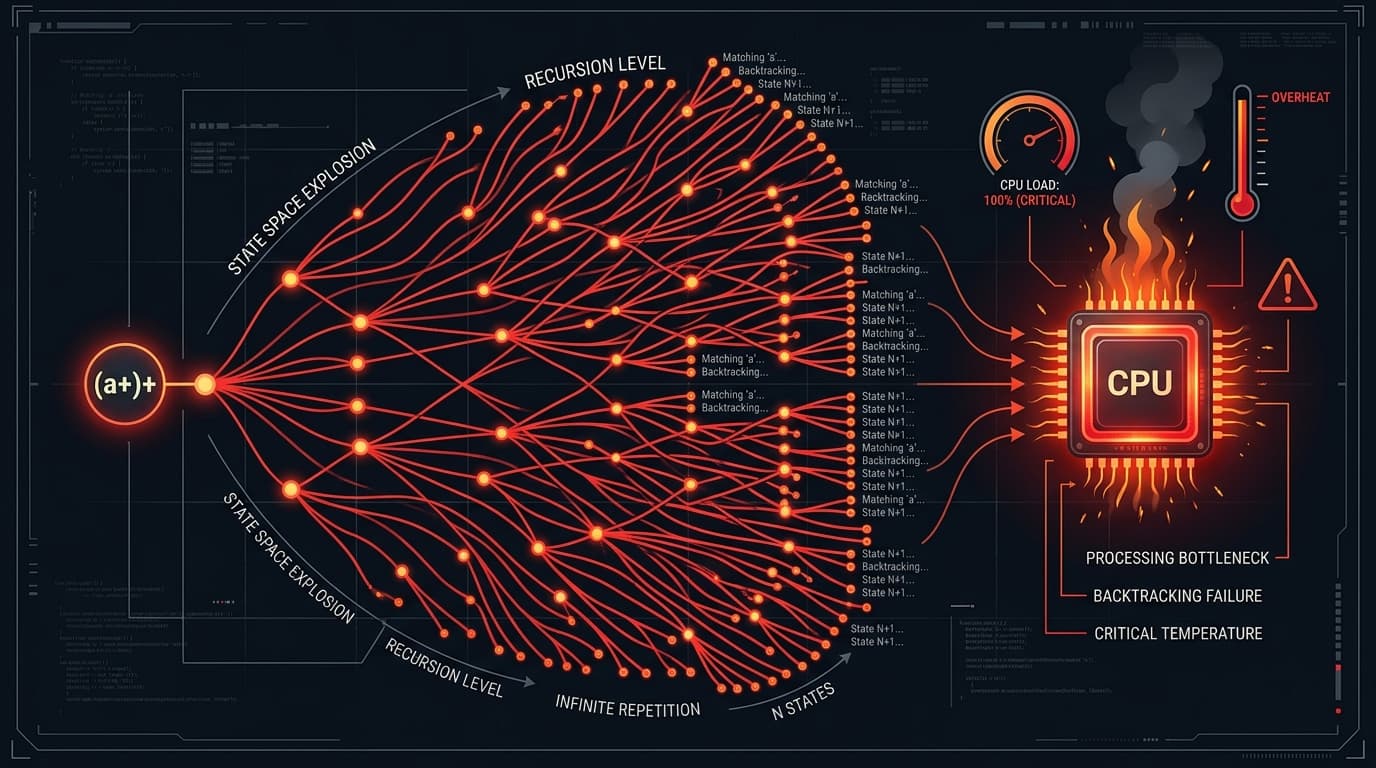
This pattern is the textbook ReDoS example:
// DO NOT SHIP - JS, Python, PCRE all backtrack exponentially
^(a+)+$
Run it against aaaaaaaaaaaaaaaaaaaaaX (21 as plus one mismatch) and the engine explores roughly 2^21 possible ways to split the input among the nested + quantifiers before giving up. Add a few more characters and your event loop is gone.
See the OWASP Input Validation Cheat Sheet for the broader checklist. If you have a slow pattern, paste it into the Regex Tester with a large input - backtracking surfaces fast.
JS vs Python vs PCRE: the diff table
This is the cross-engine cheat sheet you actually want printed next to your monitor.
| Feature | JavaScript (ES2024+) | Python 3.14 re | PCRE2 |
|---|---|---|---|
| Named group syntax | (?<name>...) | (?P<name>...), also (?<name>...) in 3.12+ | both |
| Backref to named group | \k<name> | (?P=name) | \k<name> |
| Lookbehind | Variable length (ES2018+) | Fixed length only | Fixed length per branch |
Atomic groups (?>...) | Not supported | Python 3.11+ | Yes |
Possessive quantifiers *+ ++ ?+ | Not supported | Python 3.11+ | Yes |
\w default | ASCII only | Unicode by default for str (use re.A for ASCII) | Configurable |
Unicode properties \p{...} | Requires u or v flag | Use third-party regex module | Yes |
v flag (set operations) | ES2024 | n/a | n/a |
s (dotAll) flag | ES2018 | re.S / re.DOTALL | Yes |
| Inline flag groups | i, m, s only (ES2025) | Yes, 3.11+ at start of pattern | Yes |
$ and trailing \n | ^abc$ does NOT match "abc\n" | ^abc$ matches "abc\n" - use \Z for strict end | Configurable |
The v flag is the most interesting recent addition. It lets you do real set operations on character classes:
// ES2024 - emoji that are not ASCII
[\p{Emoji}--\p{ASCII}]
Sources: MDN Cheatsheet, Python 3.14 re docs, regular-expressions.info.
Test your patterns live
Knowing the syntax is half the job. Watching the engine highlight every capture group, count steps, and choke on backtracking is the other half. Drop any pattern into our Regex Tester and iterate - no sign-up, no install. Pair it with the JSON Formatter and URL Encoder for a clean developer workflow.
Open the tester
Regex Tester
Paste any pattern and test string - matches, groups, and step count update as you type. No account needed.